Create a Google Project and Configure Sheets API
First, let's configure a new Google Console project to enable Sheets API.
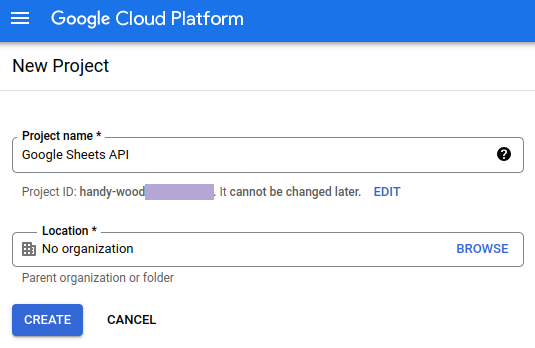
Open the Google Cloud Console and create a new project:
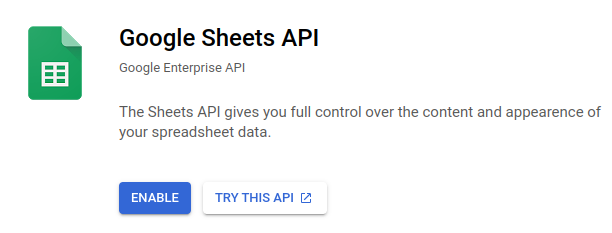
Click on Enable APIs and Service, search for Sheets API, enable the service:
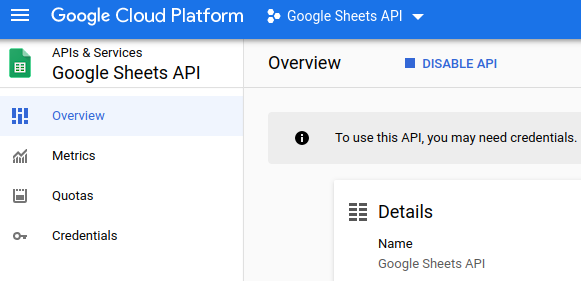
Once enabled, we can configure the service:
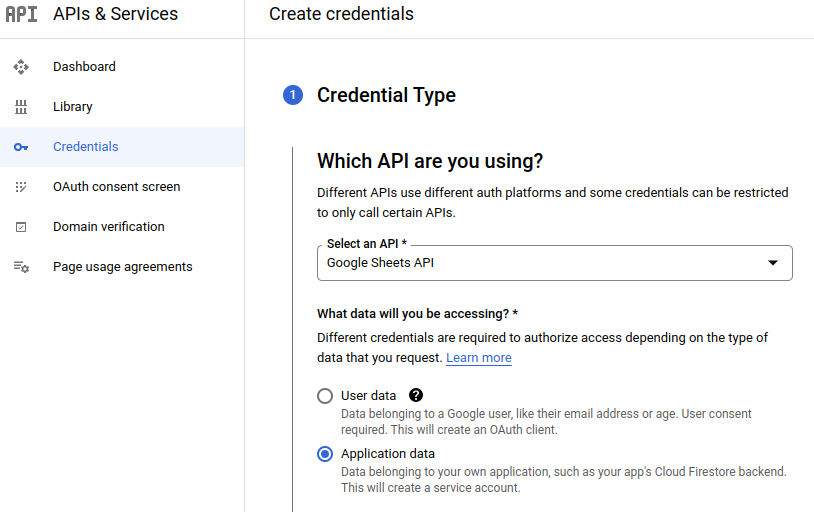
We now create credentials, in this tutorial, we'll use Application data access:
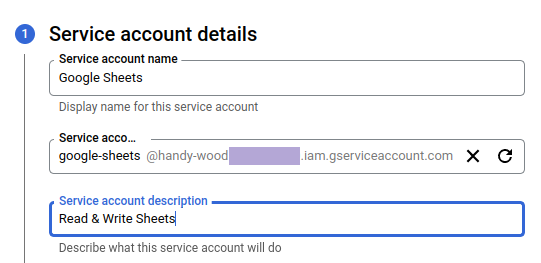
We need to create a service account (the generated email will be useful later 💡):
We edit the service account to create a new key, using the json type:
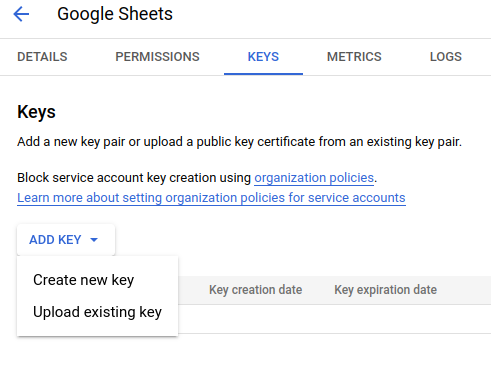
We can now download the key file in local and rename it to credentials.json.
The bit tedious configuration part is over!
Create and Share a Google Sheets
We can create a Google Sheets document. In this tutorial, I use a collection of movies:

A spreadsheet can contain several sheets; this one has a single sheet named Sheet1.
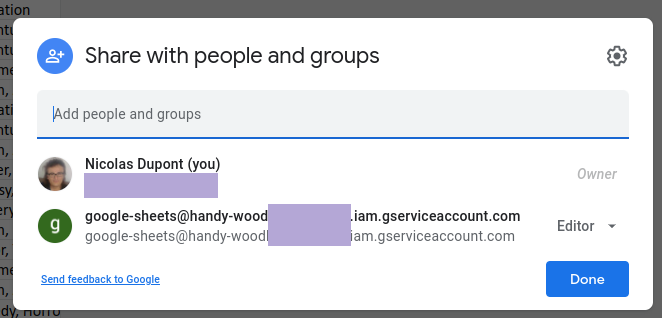
We have to share this document with the previously generated service account email (we set Editor permissions to allow the update of the sheets):